Educational digital platform
EAT (NutrEATi) is a food-education platform developed with Università San Raffaele and the Comune di Milano, built to help parents and teachers bring nutrition education to children, without feeling like another school portal. Working alongside an Art Director and a Project Manager, I helped turn an early direction that was rejected as too adult into a playful, game-like learning system: paths, modules, badges and a mascot.
Contribution
The design work covered the learning architecture, core user flows, interface system and high-fidelity experience across dashboard, courses, lessons, activities, resources and progression. Particular attention went to making each next step clear and connecting digital learning with practical activities outside the screen.

The challenge
Food education can easily become passive: users receive information with no guarantee they understand it, remember it or translate it into everyday behaviour. The platform also had to stop looking like a school portal, without losing educational credibility. How might we turn food-education content into an experience that encourages users not only to learn, but to understand, practise and progressively build healthier habits?
Key insight
Learn → Understand → Do → Reflect → Progress
Learning shouldn’t end when the user finishes reading. Content is followed by a check, a practical activity, a moment of reflection and visible progress: the loop that structures every path on NutrEATi.

The pivot: rebuilt in 48 hours
The first direction was too adult. After blunt feedback, the Art Director and I rebuilt the homepage, the mascot and the visual language together, in about 48 hours. That direction was approved and became the foundation of the product.
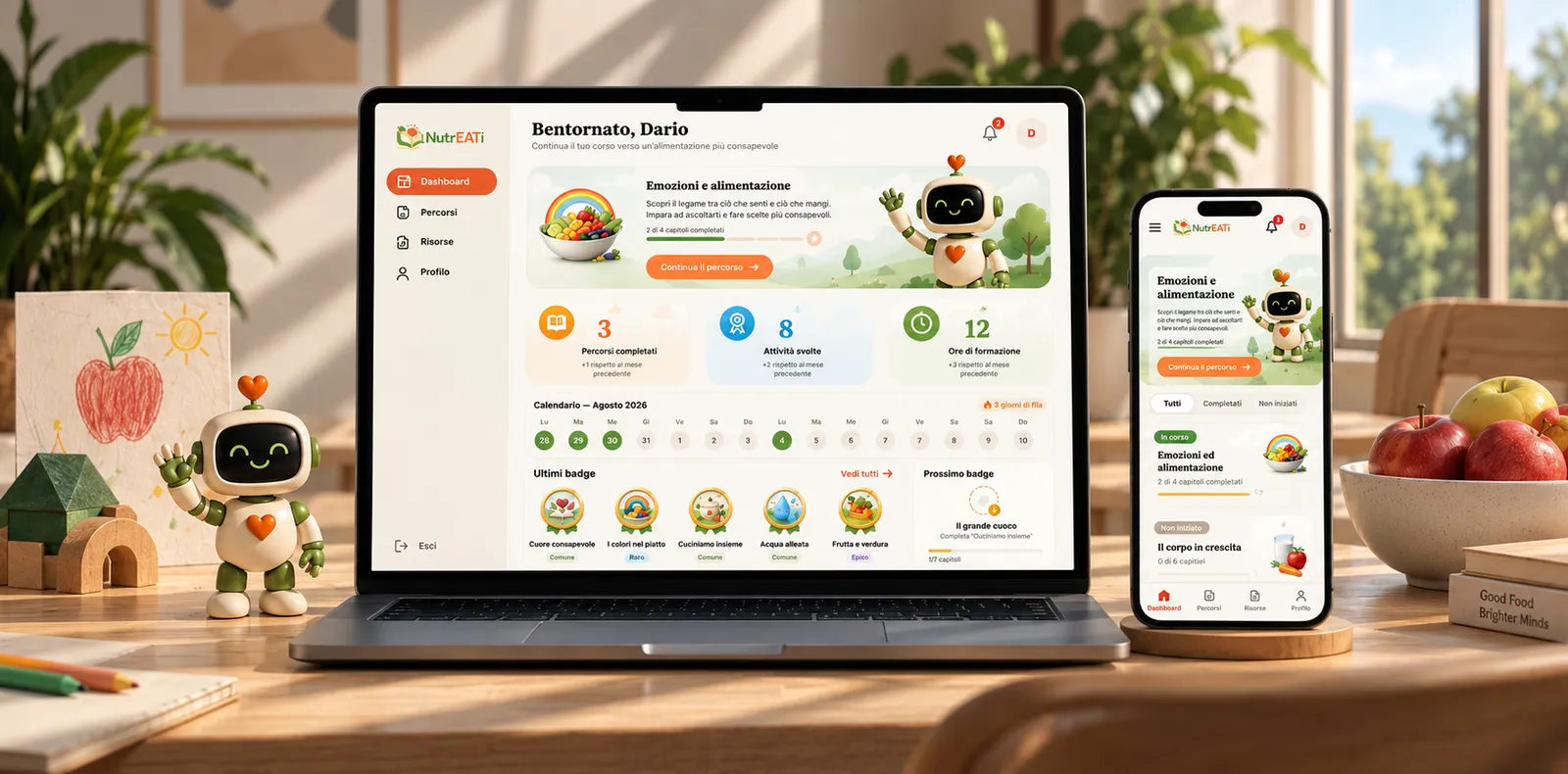
Dashboard: a control centre for the journey
Current course, a primary continue action, completed paths and activities, recent badges, streak and suggested next steps, designed to answer one question at a glance: “What should I do now?”


From overview to next action
Path → Module → Chapter → Quiz → Practical activity → Deep dive. The hierarchy gives each content type a clear role, so a course page can show both the big picture and the immediate next step without reading like a long content list.
Lesson experience
“Fame o voglia?” (hunger or craving?): the difference between physical hunger and eating driven by emotion, habit or boredom. Progression, content, materials and NutriBot’s contextual support coexist without competing with the lesson itself.
Learning doesn’t stop at the screen
Observe, prepare, experiment, discuss, draw, reflect, do something together: practical activities turn digital content into a bridge between information and behaviour. The platform is designed not only to teach something on screen, but to trigger an action beyond it.
Making progress visible
Course and chapter progress, badges, a next-badge target, streaks, time spent and locked/unlocked content. Not gamification for its own sake: rewards that make otherwise invisible learning milestones visible.
NutriBot
More than a decorative mascot: a recognizable point of continuity. NutriBot welcomes, explains what happens next, encourages and surfaces small educational facts, without dominating the screen. The interface stays understandable even without it.
Supporting ecosystem
Resources and profile extend the experience beyond individual lessons: downloadable materials, posters and activities alongside account, preferences and family/educator modes.

Outcome
A coherent learning system that connects educational content, practical activities, feedback and progression within a single experience. The modular structure and reusable UI patterns make it possible to extend the platform with new paths and materials while preserving a consistent learning journey. The approved direction is now in technical development.
Want to go deeper into this project? Write to me.
hello@dariozanna.com